

Cancel your account
1
Open My Subscription
Click Account Settings in the left menu, then the My Subscription tab.
2
Click Cancel Account
The Cancel Account window opens.
3
Choose when to cancel
Under When do you want to cancel?, choose Cancel immediately (no refund) or Cancel at the end of the period (the date is shown).
4
Tell us why
Choose a reason under Please tell us why you’re canceling and add a comment. Both are required.
5
Confirm
Click Confirm Cancelation. To keep your account, click Continue Birthday Club instead.
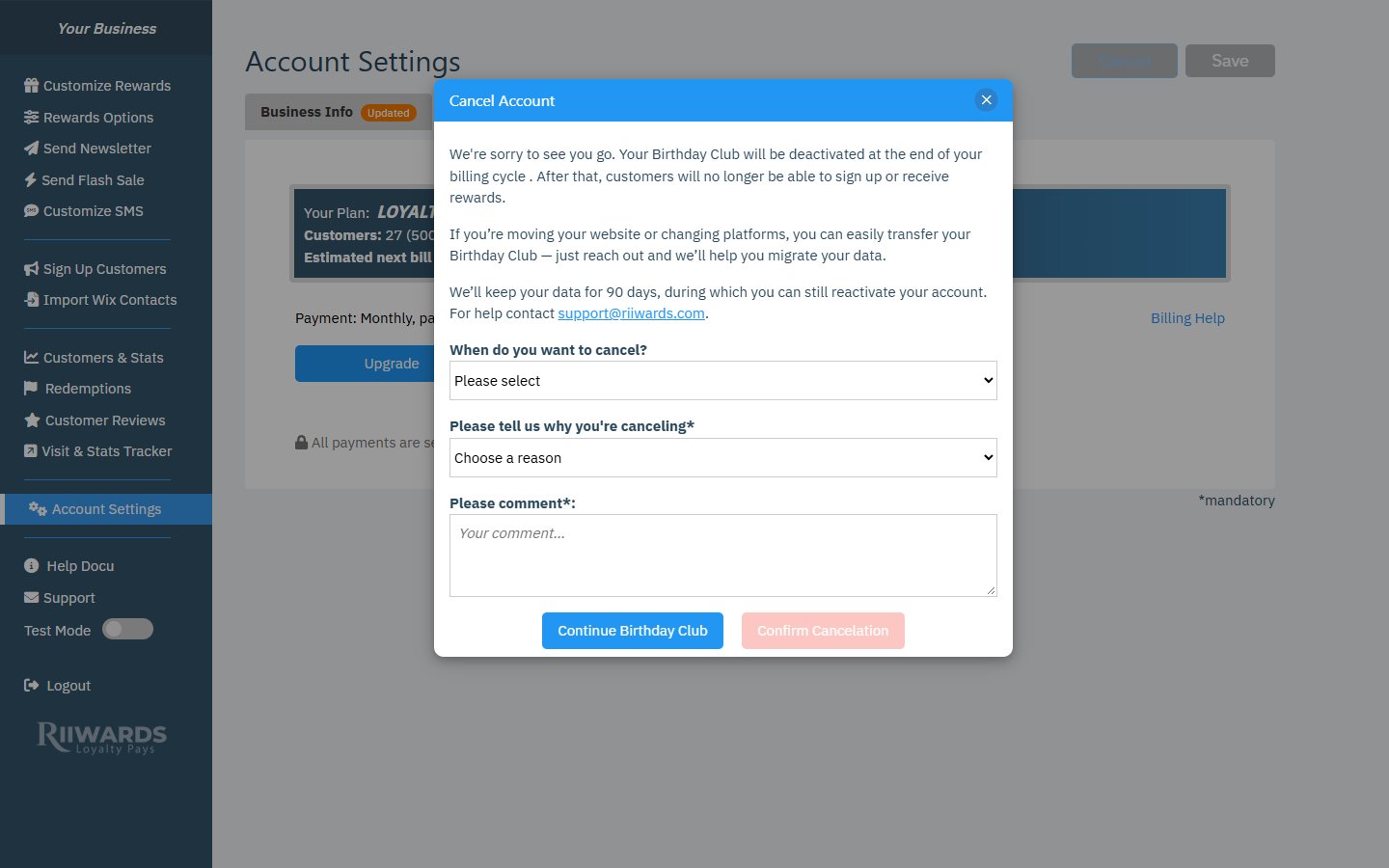
Cancel Account window
What happens after you cancel
We keep your data for 90 days after deactivation, so you can still reactivate your account during that time.
If you also have SMS, the SMS subscription is canceled with your plan. To cancel only SMS, use Cancel SMS Subscription in Account Settings > SMS Settings. See SMS billing.
Change your mind before the period ends
If you scheduled a cancellation for the end of the period, the dashboard shows a reminder with a Keep my plan button. Click it to open billing and keep your current plan.Reactivate a canceled account
When your account is canceled, most features are locked and a banner at the bottom of the dashboard says: “Your account has been canceled. Click Upgrade Now to choose a plan and reactivate.”- Click Reactivate account (or Upgrade Now).
- Choose a plan and pay with Stripe.
- Your rewards and customer list are active again.
Related
Subscription and billing
Your plan and payments.
Free plan
What continues on the Free plan.