

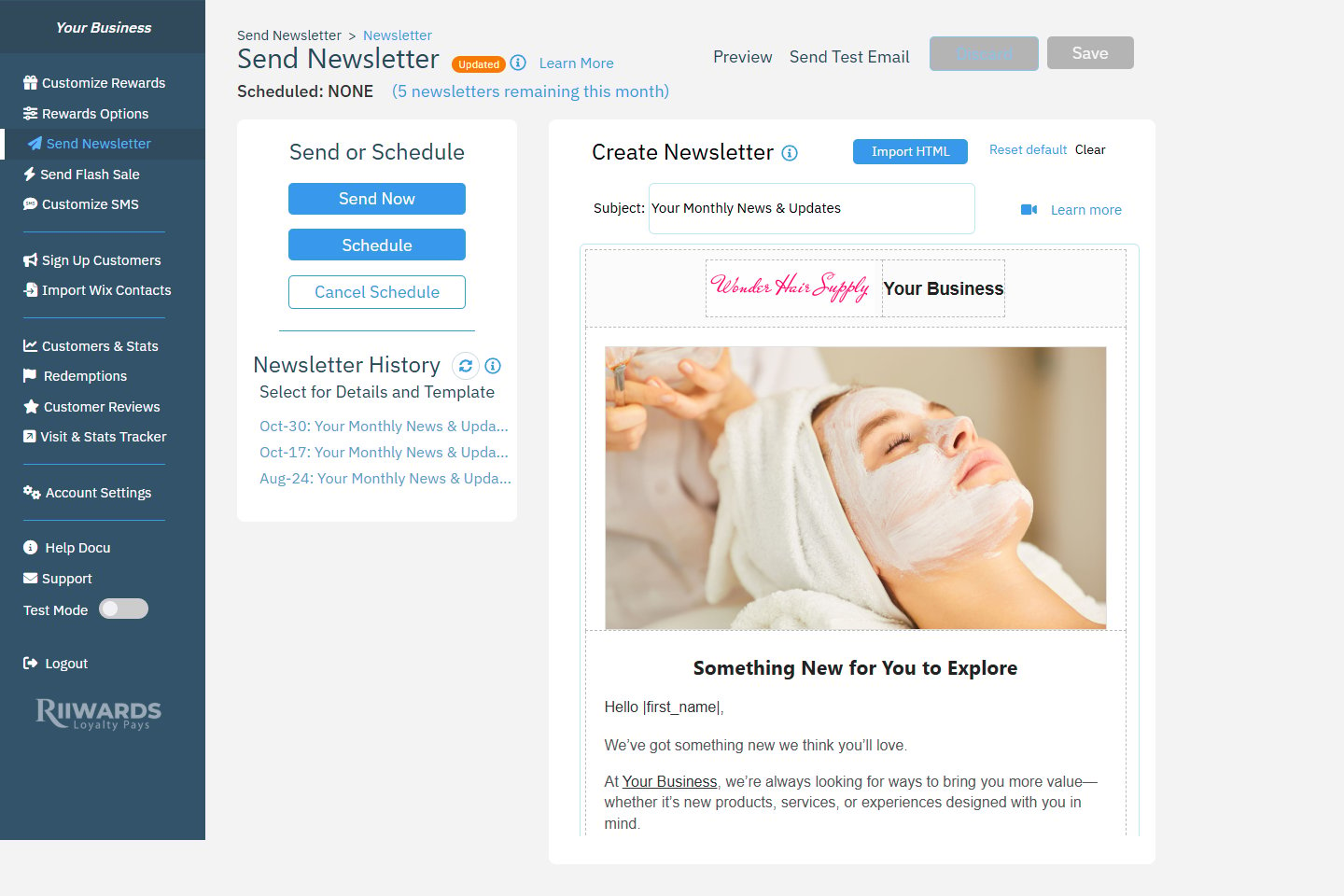
Send Newsletter: Send or Schedule and Newsletter History on the left, the editor on the right
Newsletters are included in the Marketing+ plan and higher, with up to 5 newsletters per month. The Free plan includes 1 newsletter per month. If your plan does not include newsletters, clicking Send Newsletter shows an upgrade message. The number you have left is shown at the top of the page, for example “(5 newsletters remaining this month)”. Newsletters go out one at a time.
Create a newsletter
1
Enter a subject
Type the subject line in Subject. This is what members see in their inbox.
2
Edit the content
Click the text in the editor to change it. Use the toolbar to format text, add links and change fonts and colors. Click the image to replace it. See Edit reward emails for the editor tools, images and placeholders like
|first_name|.3
Save
Click Save at the top of the page. Click Discard to throw away unsaved changes.
- Reset default restores the default newsletter template.
- Clear empties the editor so you can start from scratch.
Preview and test
- Click Preview to see the newsletter as members will see it.
- Click Send Test Email to send a copy to your business email or another address. Check it on your phone and computer before sending.
Send now or schedule
- Send now
- Schedule
Click Send Now. The newsletter starts going out to your subscribed members right away.
Reuse a past newsletter
Newsletter History lists the newsletters you sent, newest first, with the date and subject.- Click a newsletter to see what was sent and to load it into the editor as a template. Then change what you need, save and send.
- Click the refresh icon to update the list, and Load more to see older ones.
Who receives your newsletter
Newsletters go to members who are verified and subscribed. Members who unsubscribed do not receive them. You can see how many newsletters were sent in the NL column of the Activity table on Customers & Stats.Related
Edit reward emails
Editor tools, images and placeholders.
Flash sales
Send a limited-time offer by text message.
Customize club
Set your logo, hero image and social links.
Email deliverability
Help your emails reach the inbox.