

Customize SMS needs an active SMS subscription. Without one, the menu item is locked. See Set up SMS.
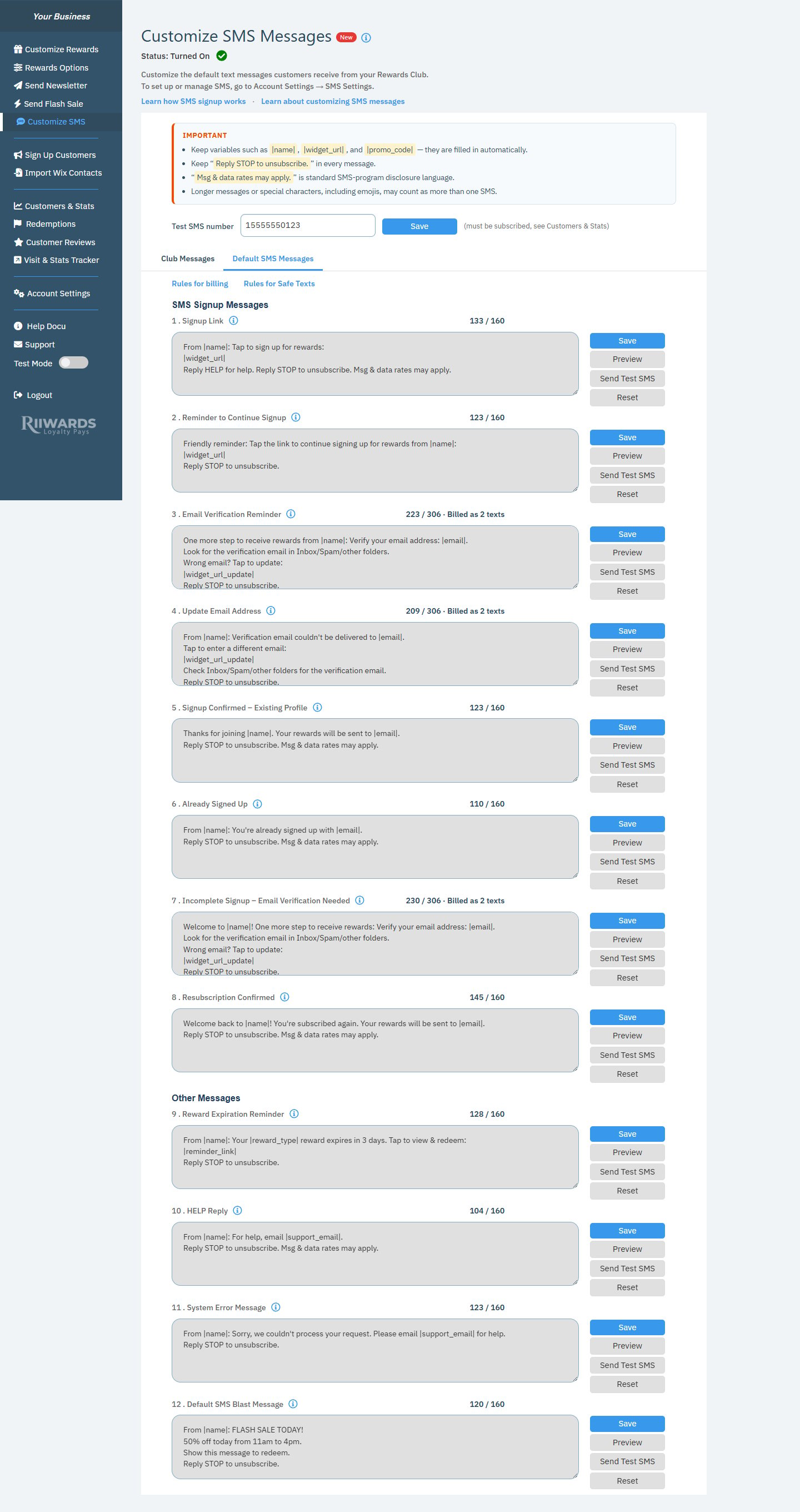
Customize SMS Messages with the IMPORTANT box, test number and the first signup messages
Rules for every message
The IMPORTANT box at the top lists the rules:- Keep variables such as
|name|,|widget_url|and|promo_code|. They are filled in automatically. - Keep “Reply STOP to unsubscribe.” in every message.
- “Msg & data rates may apply.” is standard SMS-program disclosure language.
- Longer messages or special characters, including emojis, may count as more than one SMS.
|name|: your SMS Business Name (set in SMS settings).|widget_url|: the customer’s personal signup link.|promo_code|: the promo code of the reward.|email|: the customer’s email address.
Set your test number
Enter your mobile number in Test SMS number and click Save. The number must be subscribed to your Rewards Club (you can check on Customers & Stats). The easiest way is to join your own club by text first.Edit a message
Each message has a numbered title, an info icon that explains when it is sent, a character counter, and four buttons.1
Edit the text
Click in the message box and change the wording. Keep the required variables and the STOP line.
2
Check the counter
The counter shows the length, for example “133 / 160”. If the message is longer than one text, it shows “Billed as 2 texts” or “Billed as 3 texts”.
3
Preview
Click Preview to see the message with real values filled in. The preview shows the billed length.
4
Save and test
Click Save, then Send Test SMS to receive it on your test number.
The messages
SMS Signup Messages
- Signup Link: the reply a customer gets right after texting your keyword. It contains their personal signup link.
- Reminder to Continue Signup: sent if the customer did not complete the signup form.
- Email Verification Reminder: sent if the customer completed the form but did not verify their email. It also offers a link to update the email if it was wrong.
- Update Email Address: asks the customer to verify their email after they change or correct it.
- Signup Confirmed – Existing Profile: confirms the signup when the customer already has a profile in your club.
- Already Signed Up: sent when an existing member texts your keyword again.
- Incomplete Signup – Email Verification Needed: sent when a customer who has not verified their email texts in again.
- Resubscription Confirmed: confirms that a customer who had unsubscribed is subscribed again.
Other Messages
- Reward Expiration Reminder: reminds SMS subscribers that a reward is about to expire.
- HELP Reply: the reply when a customer texts HELP.
- System Error Message: sent if a customer’s text could not be processed.
- Default SMS Blast Message: the starting text for a new Flash Sale.
Rules for billing
Click Rules for billing for a summary of how length is counted: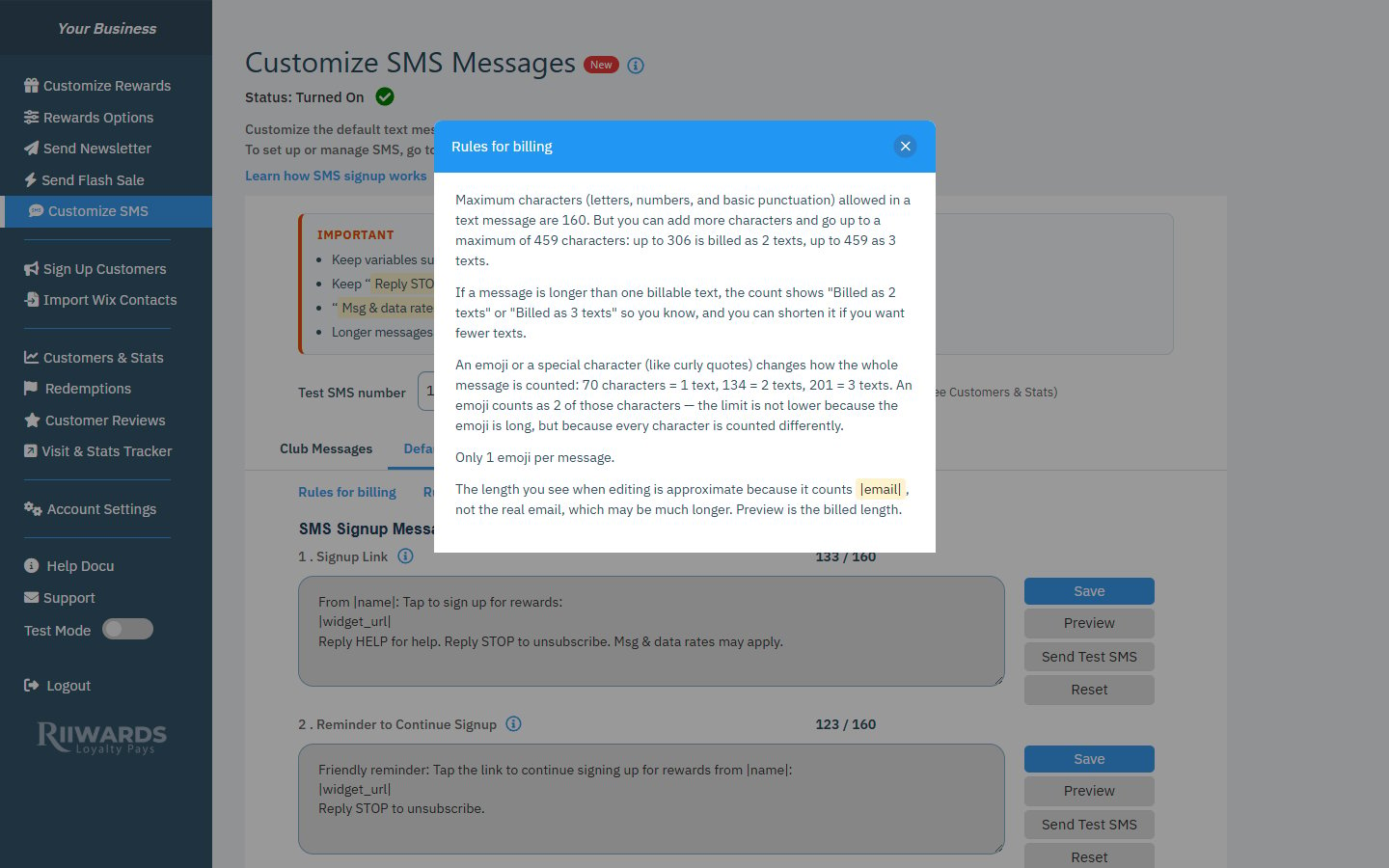
Rules for billing
- One text holds up to 160 standard characters (letters, numbers and basic punctuation).
- A message can be up to 459 characters: up to 306 is billed as 2 texts, up to 459 as 3 texts.
- An emoji or special character (such as curly quotes) changes how the whole message is counted: 70 characters is 1 text, 134 is 2 texts and 201 is 3 texts.
- Only 1 emoji per message.
- The length shown while editing is approximate, because variables like
|email|are counted as written, not as the real email. Preview shows the billed length.
Rules for Safe Texts
Click Rules for Safe Texts to see the checks that keep texts safe and professional:- Don’t put HTML, scripts or links that look like code in a message.
- Profanity, slurs, adult wording, drug spam and scam phrases are blocked.
- Messages are saved as plain text.
- Don’t remove required variables such as
|name|. Every message must include “Reply STOP to unsubscribe.”
Related
SMS settings
SMS name, sending hours and reminder timing.
SMS billing
How texts count toward your SMS Plan.
Customer signup flow
When each signup message is sent.
Flash sales
Send a promotion by text.