

Choose your redemption type
1
Open Customize Club
Click Account Settings in the left menu, then the Customize Club tab.
2
Select how customers redeem
Under How will customer redeem rewards?, select In our business premises, In our online store, or both. If you select the online store, enter its web address. At least one option must be selected.
3
Save and refresh
Click Save, then refresh your browser so the dashboard updates to match the new setting.
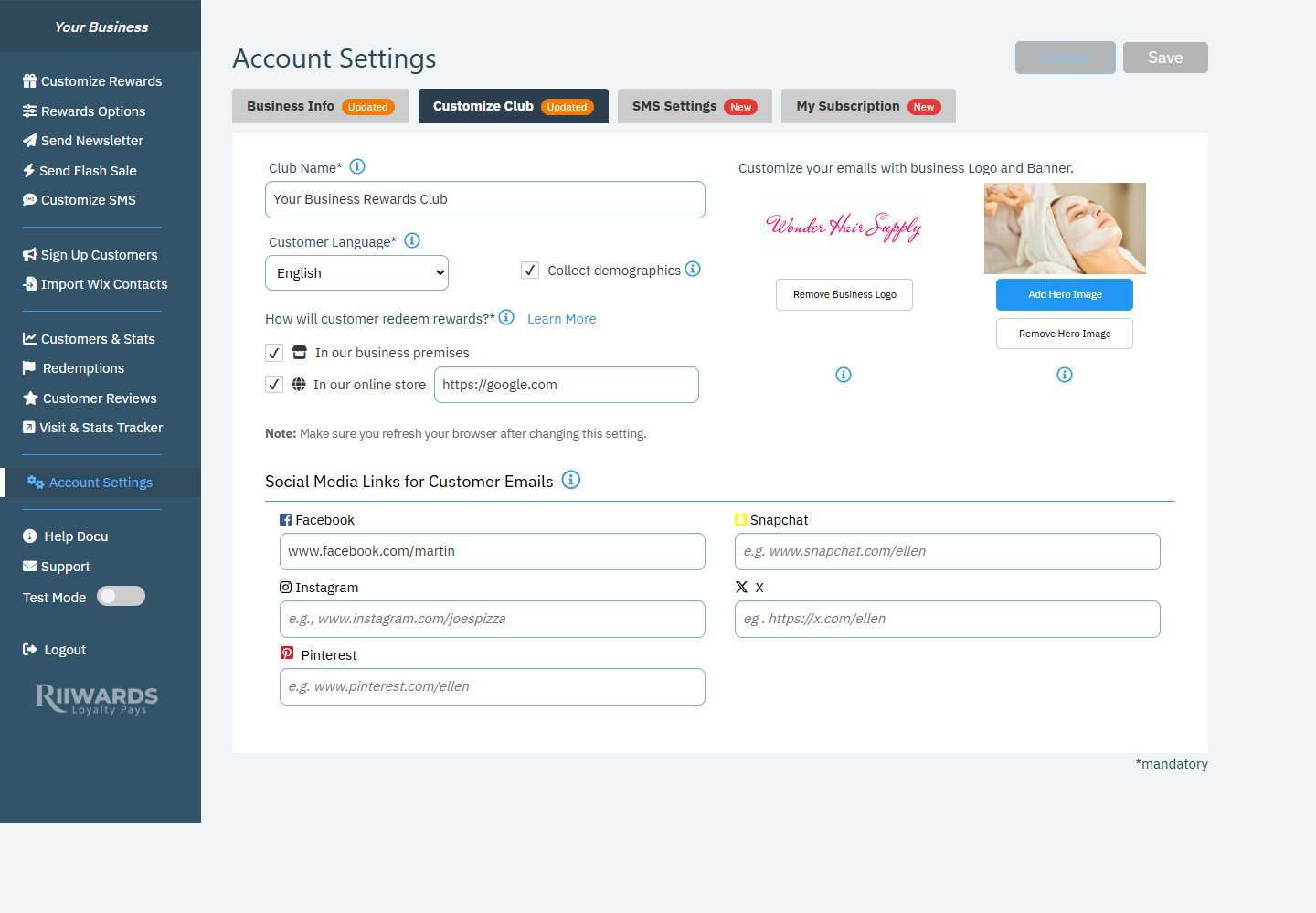
Choosing how customers redeem rewards in Customize Club
Redeeming in person
With one-time use turned on
When Enforce One-Time Use is on in Rewards Options, each reward email includes a button such as Redeem When Staff Present.- The customer shows the reward email on their phone at your counter.
- With your staff watching, they tap the Redeem button.
- Rewards Club records the redemption and the visit. The same reward cannot be redeemed again, and expired rewards cannot be redeemed.
With one-time use turned off
Customers show the reward email on their phone or as a printout. Staff check the expiry date in the email and apply the reward. Redemptions are not tracked by Rewards Club in this case.Using the Visit Tracker
Staff can also use the Visit Tracker on a phone or tablet to confirm visits and redeem promo codes, and to see recent redemptions. See Confirm visits.Redeeming online
For online stores, online ordering and online bookings, customers enter a promo code at checkout.1
Add a promo code to each reward
Open each reward in Customize Rewards and enter a Promo Code. A promo code is required for every reward when you redeem online.
2
Create the same code in your online store
Set up the exact same code, with the discount it should give, in your online store’s coupon or discount settings.
3
Let your store handle limits
All customers receive the same code for a reward. Limits such as one use per customer or an end date must be set in your online store.
See your redemptions
Redemptions recorded by Rewards Club appear on the Redemptions page in your dashboard and in the Visit Tracker’s reports. Online redemptions are tracked by your online store.Related
Rewards Options
Turn on one-time use and set redemption limits.
Redemptions
See every recorded redemption.
Customize Club
Change your redemption type and online store link.
Visit Tracker
Confirm visits and redeem codes at your counter.