

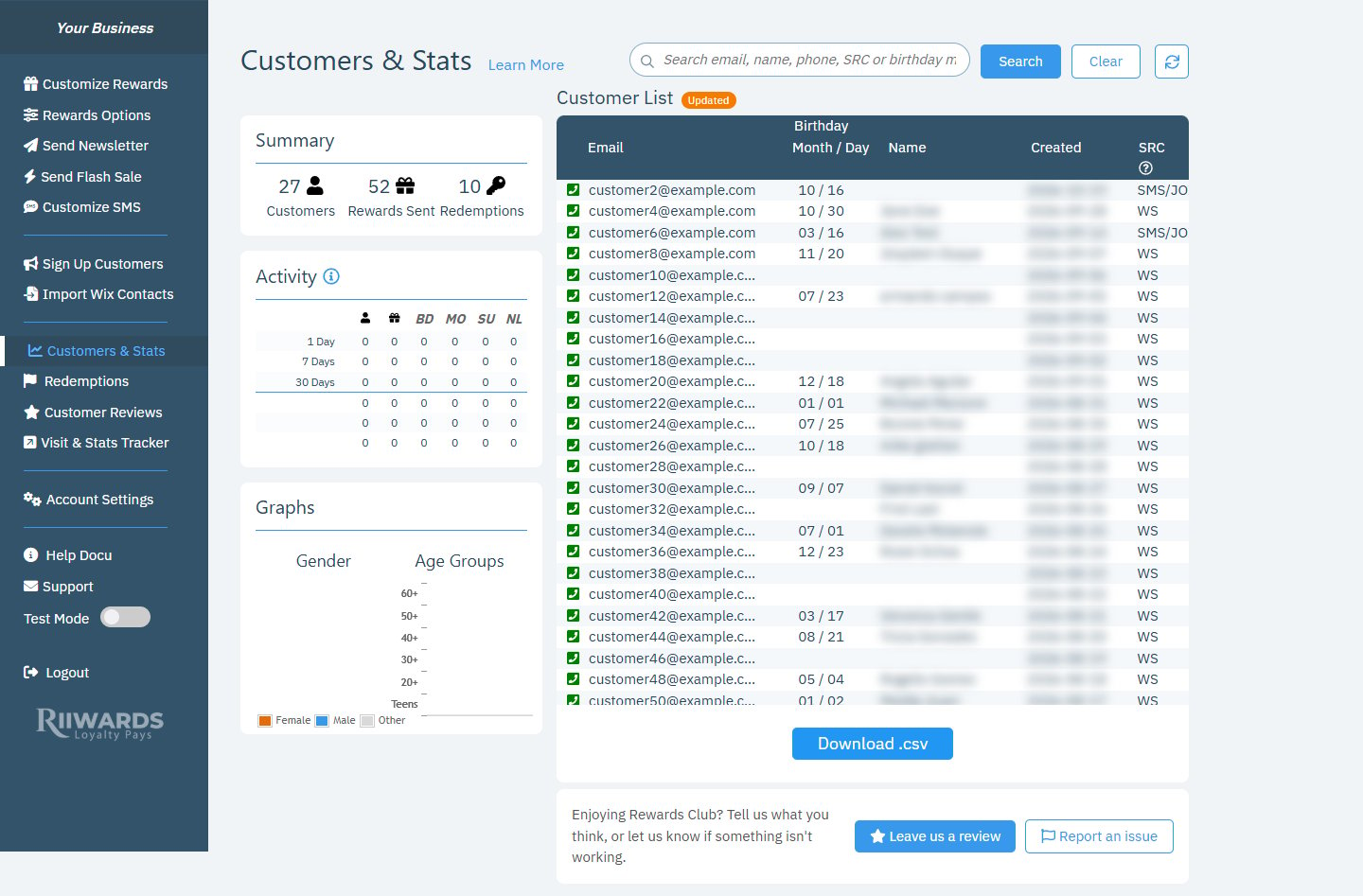
The Customers & Stats page with the summary, activity, graphs and customer list
Search for a customer
The search box at the top finds customers by email, name, phone, SRC or birthday (type the birthday asmm/dd, for example 03/16).
1
Type what you know
Enter part of an email, a name, a phone number, a signup source code or a birthday in the search box.
2
Click Search
The customer list shows only the matching customers.
3
Click Clear to go back
Clear removes the search and shows the full list again.
Summary
The Summary box shows three totals for your club:Activity
The Activity table shows recent activity for your club: new customers, rewards sent, and the Birthday, Monthly and Signup emails sent.- Rows: the last 1 day, 7 days and 30 days, followed by the last three months.
- Columns: new customers (person icon), rewards sent (gift icon), then BD (birthday), MO (monthly), SU (signup) and NL (newsletter).
Graphs
The Graphs box shows your customers by Gender (Female, Male, Other) and Age Groups (Teens, 20+, 30+, 40+, 50+, 60+). Customers only share this if you turn on Collect demographics in Customize Club, which adds an optional age group and gender question to your signup form.Demographic charts depend on your plan. If your plan does not include them, the box shows a Click here to upgrade link.
Customer list
The Customer List shows your members, newest first.
Click any customer to open their Customer History, where you can resend rewards, change their email or unsubscribe them.
Signup source (SRC) codes
A code with a keyword after it, such as
SMS/JOIN, shows the text keyword the customer sent to sign up.
Download your list
Click Download .csv under the list to export your customers. See Download your customer list.Related
Customer history
See every email a customer received and resend rewards.
Download your customer list
Export your members to a CSV file.
Redemptions
See which rewards your customers redeemed.
Sign up customers
Grow your list with QR codes and links.