

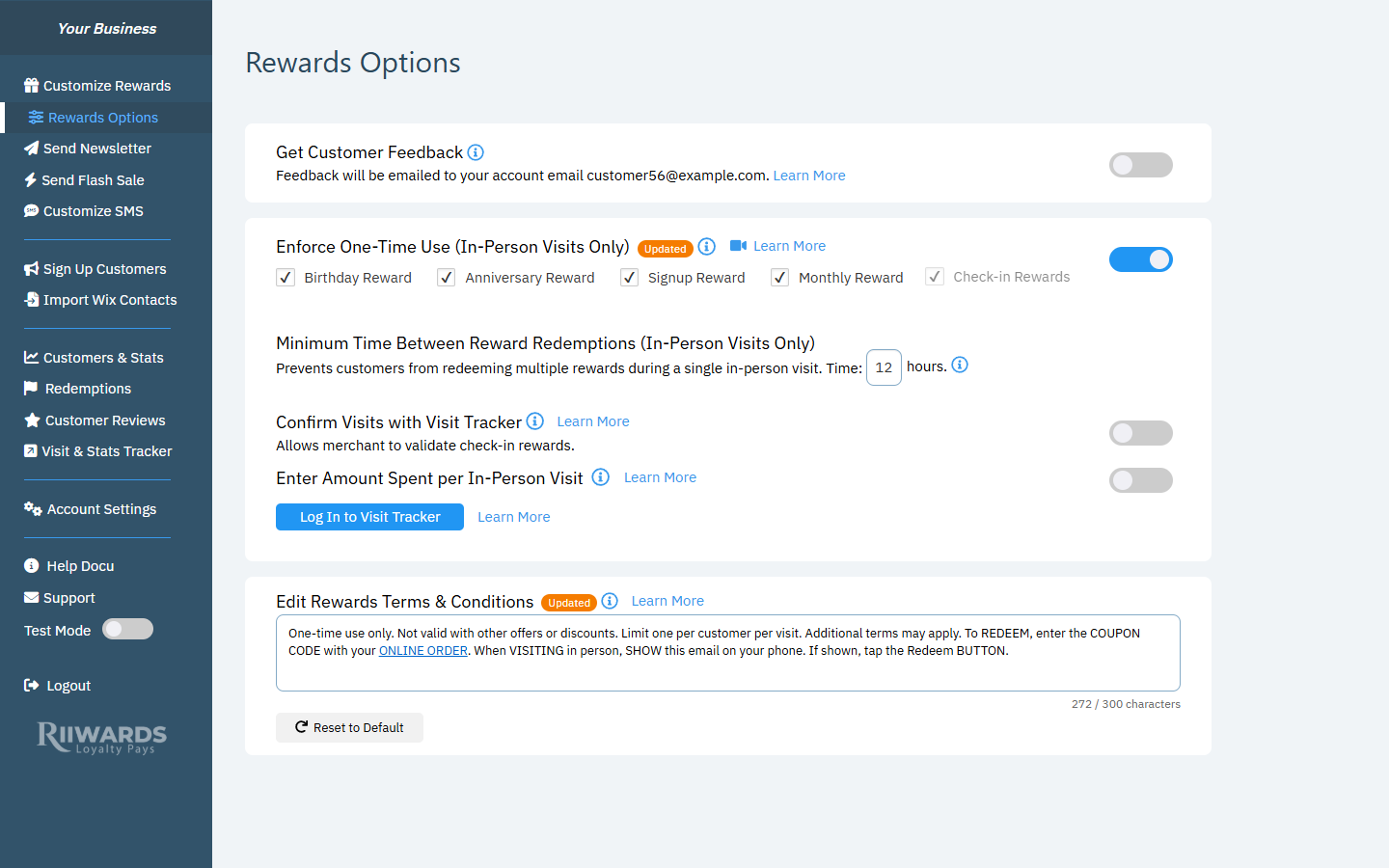
The terms and conditions box at the bottom of Rewards Options
Edit the terms
1
Change the text
Click in the box and edit the paragraph. You can use up to 300 characters. The counter under the box shows how many you have used, for example 272 / 300 characters.
2
Save
Save and Cancel buttons appear once you change the text. Click Save to apply the new terms to all reward emails.
One-time use only. Not valid with other offers or discounts. Limit one per customer per visit. Additional terms may apply. To REDEEM, enter the COUPON CODE with your ONLINE ORDER. When VISITING in person, SHOW this email on your phone. If shown, tap the Redeem BUTTON.
The ONLINE ORDER link
ONLINE ORDER in the default text is a locked link. In the email, it links customers to your online store. The link itself cannot be edited in this box.Restore the default text
Click Reset to Default to replace your text with the Rewards Club default. The default text is also updated automatically when you change how rewards are redeemed (in person, online or both) or turn one-time use on or off, so the instructions match your setup. This only happens if you have not edited the text yourself.Related
Rewards Options
One-time use and redemption settings.
How redemption works
In-store and online redemption.
Edit reward emails
Customize the rest of the email.